Personal AI coaching for leaders

Work on your own tasks with ChatGPT, Copilot and other AI tools in personal one-to-one sessions. Practise checking results and planning how your team uses AI.

Eight sessions with Jannik Reinhard over four months. Twelve months of Academy access included.

Book an introductory call

15 minutes · Microsoft Teams · free, with no obligation

Explore the Academy
Jannik Reinhard, Head of AI at Epic Fusion, in a bright office.
Jannik Reinhard Head of AI at Epic Fusion

5× Microsoft MVPAI Platform & Security

  • Years of experience with DAX-listed companies
  • Author of technical books · Microsoft Certified Trainer · 24 active certifications
Projects on GitHub

“He explains complex topics clearly and practically, and gives concrete recommendations instead of theory.”

Workaiout in 27 seconds.

A first look at the Academy and your personal AI coaching with Jannik.

27 seconds · Video in German

German captions and English subtitles available.

8 personal sessions over 4 months, including 12 months of Academy access.

Read the transcript

Lightly edited transcript of the video.

Everyone is talking about AI, but who leads it? That is what Workaiout is for. Understand AI and lead with clarity.

In personal 1:1 coaching with me.

Plus the Academy: ChatGPT, Claude, Copilot and more. Twelve months at your own pace.

Ready? Book a free introductory call now.

Questions to work through in coaching.

Where is AI worthwhile? Which results can you rely on? What does your team need to get started? In coaching, Jannik supports you with your questions and a real task from your area of responsibility.

What you work on with Jannik

  • Where is AI worth using?Assess use cases by value, effort and risk.Working material: a prioritised use-case list.
  • What can I trust about the result?Check information, weigh alternatives and recognise untested assumptions.Working material: a traceable decision brief.
  • How do I bring my team along?Develop ground rules, responsibilities and an initial pilot process.Working material: a concrete adoption framework.

From an idea to a pilot project

Jannik helps you select a recurring task, compare possible solutions and plan an initial test.

Illustration: idea cards, a prioritisation matrix and a pilot plan connected by a shared path.

Illustrative example · no customer or performance data

Find the right task.

Review offers, prepare reports or answer internal questions: which tasks recur in your team?

  • Identify a specific work problem
  • Frame the expected value as a hypothesis
  • Clarify available information and limits

Working document: your use-case list.

Weigh value and effort.

Jannik discusses the options with you. The first test should establish whether value, data availability and implementation fit together.

  • Assess value and effort
  • Review data access, quality and risks
  • Choose a manageable use case

Working document: a reasoned priority.

Start with clear review criteria.

Example: reviewing offers. Three anonymised offers, a shared checklist and a traceable comparison.

  • Define test data and the responsible person
  • Review the results yourself and document errors
  • Decide whether to continue, adjust or stop

Working document: your first pilot plan.

Jannik Reinhard, Head of AI at Epic Fusion, smiling at Novu Campus.
Your personal training partner.

Jannik Reinhard.

Jannik Reinhard is Head of AI at Epic Fusion and supports organisations in adopting AI. In coaching, he connects technical practice with your leadership questions: what makes sense, what is feasible, and how can a result be assessed reliably?

His coaching draws on over 7 years of experience across numerous AI projects. Jannik shares code and practical implementations on GitHub.

With Frontier Engine by Epic Fusion Epic Fusion develops an AI agent platform for organisational knowledge and business processes. On jannikreinhard.com you can find Jannik's technical guides to Microsoft Foundry, AI agents and Azure.

  • Head of AIat Epic Fusion
  • 5× Microsoft MVPAI Platform & Security
  • 24 active certificationsAI, Azure, security, data & GitHub
  • MCTMicrosoft Certified Trainer
  • 7+ years of experienceacross numerous AI projects
  • AuthorTechnical books & articles
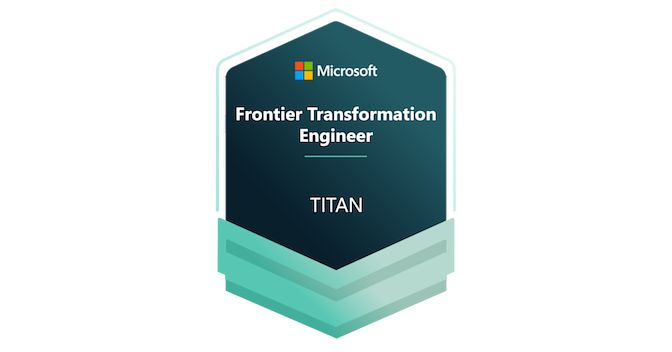
Microsoft Frontier Transformation Engineer – TITAN badge. Frontier Transformation EngineerTITAN · View badge and qualifications
Jannik Reinhard and a colleague working together on their laptops at Novu Campus.
Explain AI.
Discuss questions.

Jannik exchanging ideas with a colleague at Novu Campus. Working together, asking questions and learning from each other are part of his approach.

Understanding AI and putting ideas into practice: Marvin’s experience.

Marvin Nitschke

“He helped me truly understand AI and turn my ideas into real projects.”

Marvin Nitschke Review from
Full review on ProvenExpert

Marvin Nitschke is a Workaiout customer. In his personal review, he describes how Jannik helped him understand AI and put his own ideas into practice.

Prepare your own learning challenge

How your coaching works

Over four months we meet for eight personal sessions. We work on your task, review the results and plan the next step.

Workaiout workflow station: source documents, processing on the conveyor and a review checkpoint at the end.
Source material → Processing → Quality review.
You decide what is approved.

The three stations of your coaching

1Define the goal and boundaries

Jannik helps clarify your goal, expected value and boundaries around data, quality and responsibility.

Bring: a specific task, available documents and clear success criteria.

2Work on your task

Jannik helps you select tools and run an initial test. Together, you check whether the result meets your task's requirements.

Build: an initial AI-assisted workflow with suitable inputs and tools.

3Review results and continue independently

Document the application, recognise its limitations and decide how you will continue independently.

Check: accuracy, completeness and limitations before using the result in your business.

Your 4-month coaching programme

1:1 Coaching · CHF 625 / month plus applicable taxes · 4 months · CHF 2,500 total plus applicable taxes Introductory price · regular CHF 875 / month · CHF 3,500 total plus applicable taxes

  1. Month 1
  2. Month 2
  3. Month 3
  4. Month 4

8 personal 60-minute sessions. One goal: your own routine.

Your outcome: A repeatable workflow and the ability to assess AI results yourself.

The AI Academy

For leaders. And for anyone who wants to learn a tool properly.

Videos, exercises and materials in Memberspot. Once a week we take your questions in the live Q&A.

Start with the questions from day-to-day leadership: Where is AI worth it? Which data may go in? How do you bring your team along? Then the tools. Claude Code, MCP and fine-tuning are their own chapters when you want to build. Between coaching sessions you keep practising there.

CHF 87.50 per month plus applicable taxes

12-month minimum term · CHF 1,050 plus applicable taxes total · pay upfront or monthly

What you learn in the Academy

Leadership: use cases, rules, introducing itBefore you learn a single tool
  • Sort use cases by value, effort and risk
  • Pick a pilot and bring it into everyday work
  • Clarify responsibility, data, approvals and the EU AI Act for your use
  • Have your team practise until it checks results itself

Tools, when you want to go deeper

AI basics & promptingUnderstand models, describe tasks and check results
  • AI, machine learning, deep learning and how language models work
  • Prompting, useful context and handling demanding tasks
  • Model types, limitations, quality checks and responsible data use
OpenAI, ChatGPT & CodexResearch, files, APIs and working with coding agents
  • ChatGPT for research, writing, files, spreadsheets, images and voice
  • Projects, recurring tasks, model selection and the OpenAI API
  • Codex: small projects, skills, MCP, permissions, review and release
Claude & Claude CodeDocuments, analysis, projects and delegated work
  • Analyse long documents, organise information and find results again
  • Research, interactive outputs, projects and skills with Claude
  • Claude Code in the app, terminal and IDE: project rules, MCP and fixing errors
Microsoft Copilot & Copilot StudioMicrosoft 365, custom agents and adoption in your team
  • Use Copilot in Word, Excel, PowerPoint, Outlook and Teams
  • Understand research, delegated work, licences, credits and costs
  • Copilot Studio: knowledge agents, conversation logic, flows, connectors and approvals
  • From pilot to rollout: training, champions, usage and impact
Microsoft Foundry & cloudDeploy models, build agents and operate AI solutions
  • Understand resources, projects, models and deployments
  • Build agents with instructions, knowledge, tools and appropriate permissions
  • Understand evaluation, monitoring, guardrails, red teaming and fine-tuning
n8n & AutomationFrom your first workflow to AI, approvals and self-hosting
  • Nodes, triggers, data, JSON and workflow branches
  • APIs, webhooks, integrations, error handling and tests
  • Connect AI steps, agents, RAG, MCP and human approvals
  • Cloud or self-hosting, security, scaling, backups and a custom app
Governance and data protection in detailResponsibility, the EU AI Act, data access and AI adoption
  • AI strategy, change management, enablement and clear responsibilities
  • Understand the EU AI Act, GDPR, transparency and sensitive use cases
  • Review data use, providers, contracts, storage locations and access permissions
  • Shadow AI, approvals, human oversight and handling incidents
Custom apps, AI coding & agentsPrototypes, tests, RAG, MCP and Microsoft Agent 365
  • From requirements and data models to a prototype and team app
  • Develop with coding agents, fix errors, test and review changes
  • Connect knowledge sources with RAG, APIs and MCP; understand browser use
  • Multiple agents, Microsoft Agent 365, identities, permissions and operations
More tools & use casesGemini, knowledge work, business, design and emerging AI topics
  • Google Gemini and NotebookLM: work with your documents and sources
  • Research, documents, presentations, Excel, meetings and reporting
  • Use cases and business cases for marketing, sales, HR, finance and IT
  • Design, images, audio, video, local models, AI search and new developments

A look inside your learning environment.

The Academy is included in coaching. See where you can learn independently between meetings, repeat exercises and exchange ideas with the community.

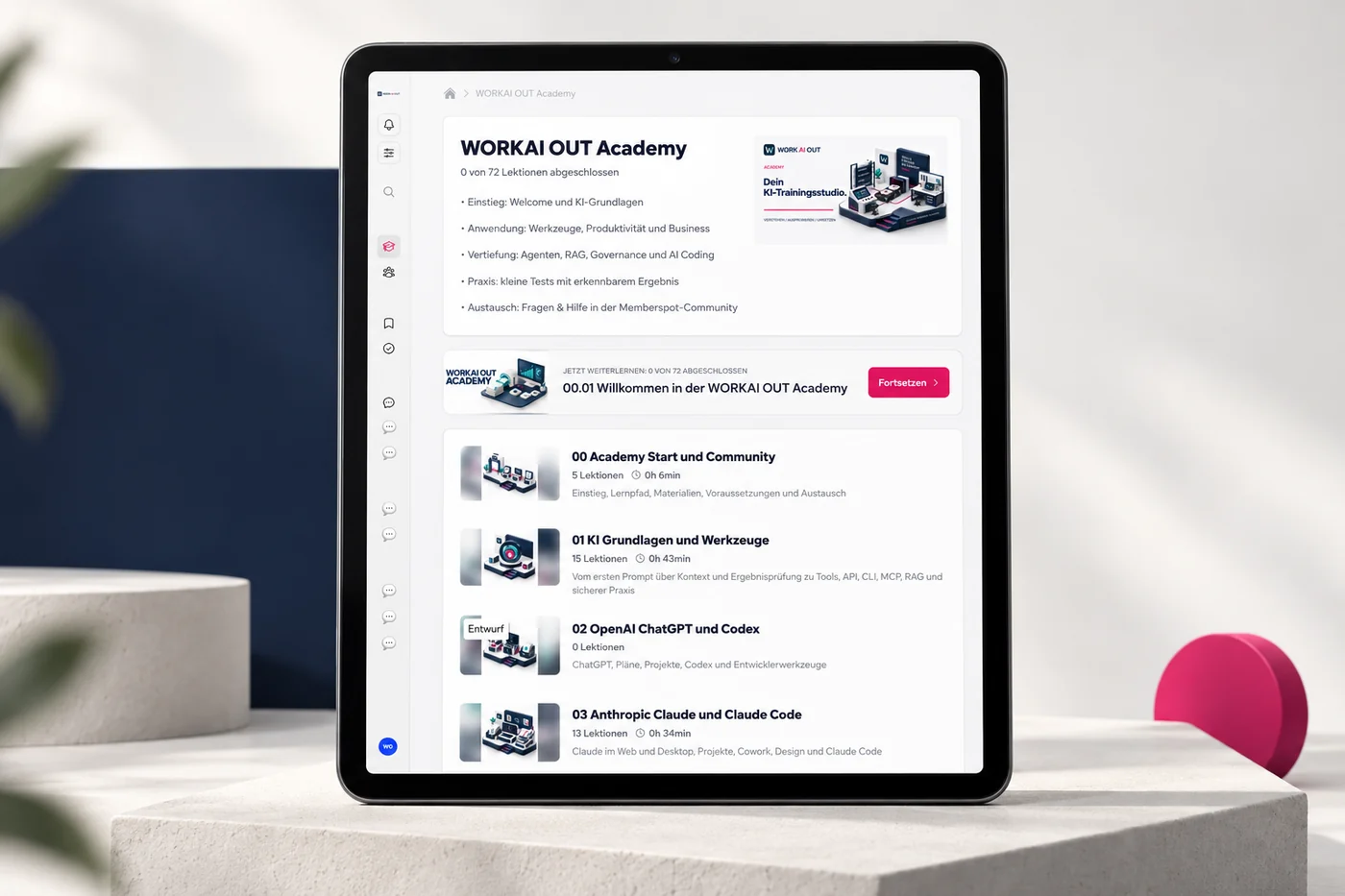
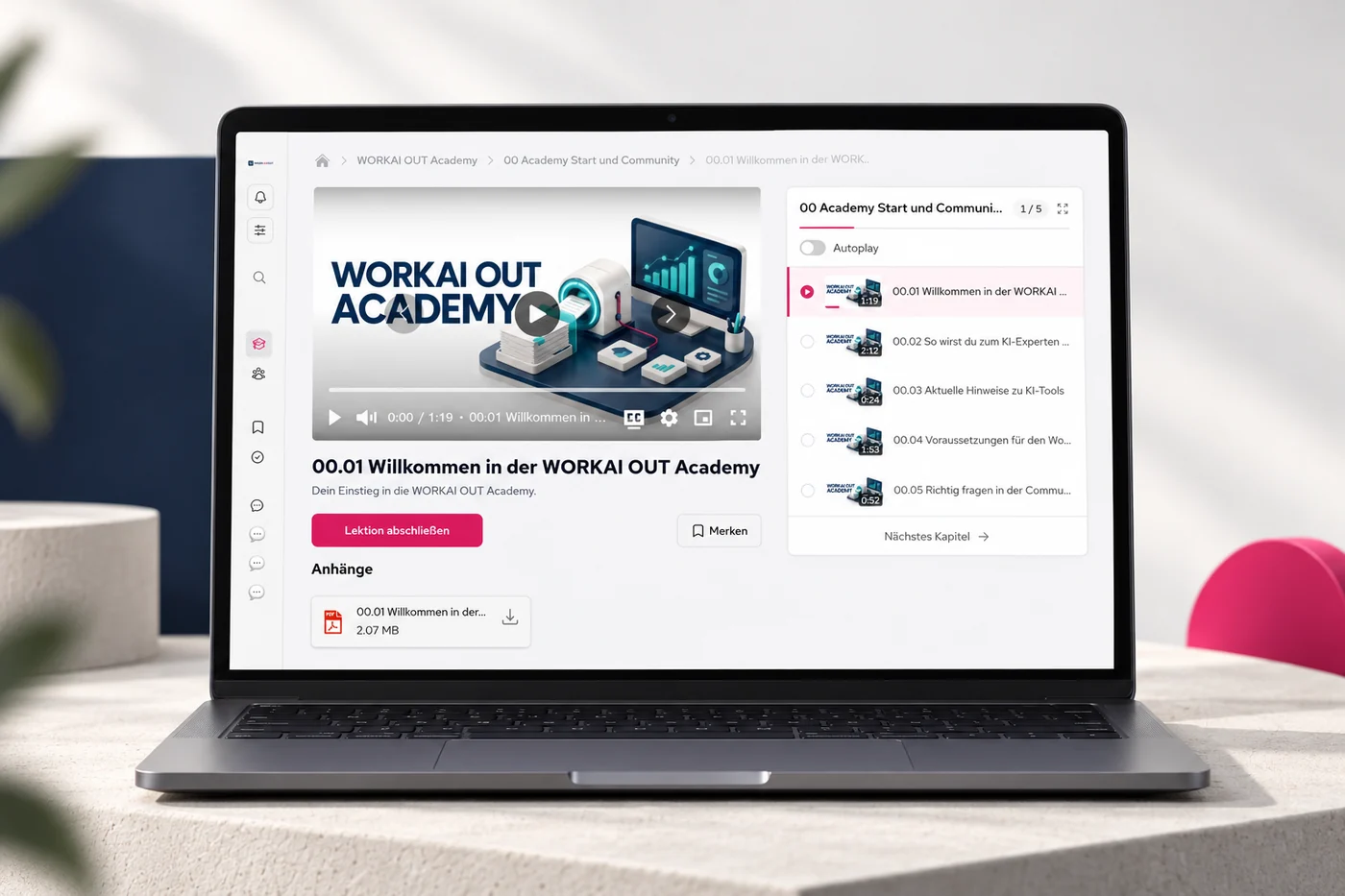
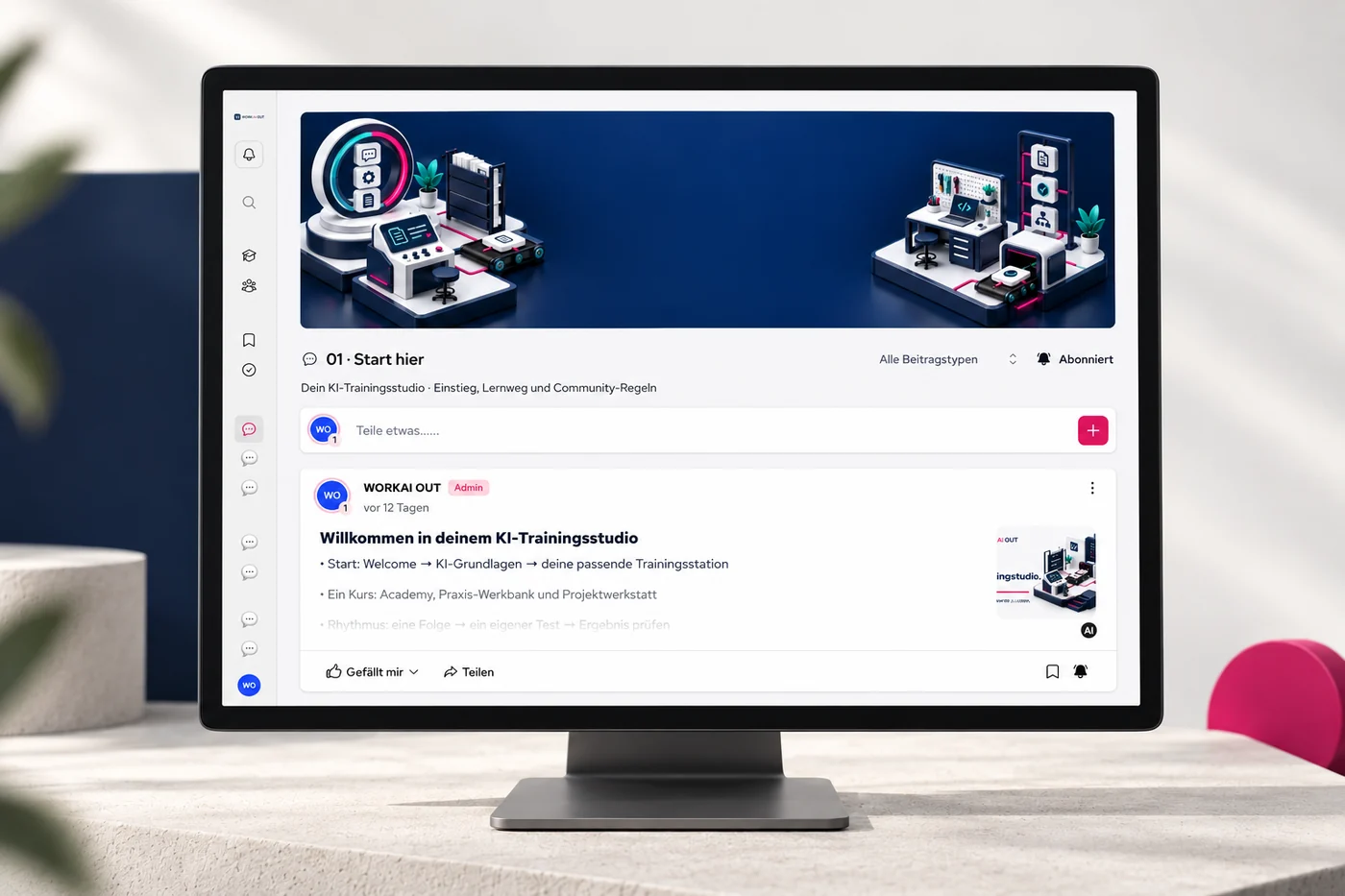
Course, lesson and community in Memberspot. New lessons are added on an ongoing basis. The interface is in German.

Choose a Memberspot preview
Academy course overview in Memberspot, with the introduction and AI foundations.
The course structure with introductory lessons and AI foundations.
Video lesson in the Workaiout Academy, with the lesson list and a PDF handout.
Video lesson with a lesson list and PDF material.
Welcome area of the Workaiout community in Memberspot.
The welcome area of your Workaiout community.
Workaiout AI Coding workbench with a laptop, tools and a check symbol, representing design, implementation and testing.

Your first project

Choose a manageable task, develop a solution with AI and check it against your own test cases.

  1. TaskRequirements and example data
  2. DraftAI-assisted structure and code
  3. TestTest cases, errors and limitations

For example: a small calculator for comparing two offers, using fictional data and calculations you have checked yourself.

Ask questions. Share experiences.

In the Memberspot community, you can discuss use cases, share practical results and learn from others. This exchange accompanies your 12 months of Academy access.

Already a member? Open the member area

Compare coaching and the Academy

Offered exclusively to businesses. Prices for business customers, plus applicable taxes. Applicable taxes are clarified before a contract is concluded. Terms

Learn independently

Academy

87.50CHF

per month plus applicable taxes

12-month minimum term

CHF 1,050 total plus applicable taxes

Payment: 12 × CHF 87.50 or CHF 1,050 upfront, plus applicable taxes in either case.

Videos, exercises and materials for your work.

  • 12 months of full Academy access
  • In-depth learning videos, practical exercises and materials
  • Updates during your access period
  • Memberspot community for questions, peer exchange and practical results
Book a call about the Academy

Included in both offers: one live Q&A call per week throughout your 12 months of Academy access.

All benefits compared side by side
Compare what is included.
Feature1:1 CoachingAcademy
Learning videos, exercises and materialsIncludedIncluded
Full Academy access12 months12 months
Weekly live Q&A callIncludedIncluded
Personal sessions with Jannik8 × 60 minutes over 4 monthsNot included
Individual training planFor your specific taskNot included
Personal feedback and reviewsIn meetings and through focused sparringNot included
Teams support for questionsDuring the 4-month coaching programmeNot included
Memberspot community for questions and peer exchange12 months from activation12 months from activation

The provider and contracting party is Epic Fusion AG, Bern. Swiss law applies. All prices are in CHF, plus applicable taxes. Applicable taxes are clarified before a contract is concluded. Academy: twelve-month minimum term from activation, CHF 87.50 per month and CHF 1,050 in total. Pay upfront or in twelve monthly instalments at no extra cost. Monthly payment does not shorten the term. 1:1 coaching costs CHF 625 per month for four months at the introductory price, CHF 2,500 in total. The regular price is CHF 875 per month, CHF 3,500 in total. Twelve months of Academy access from activation are included. The weekly live Q&A call and the Memberspot community are included in both offers during the twelve-month Academy access period. No automatic renewal. Additional AI-tool licences may be required depending on the use case. An enquiry or introductory call is non-binding and does not conclude a paid contract.

Support and scope

During coaching, Jannik usually answers focused questions via Microsoft Teams between meetings within one working day on weekdays. After the 4 coaching months, your Academy access continues until the end of the 12-month access period, including the Memberspot community. The standalone Academy includes German-language videos, exercises, materials and the Memberspot community for questions, peer exchange and practical results. Personal meetings and individual feedback are part of coaching. The stated response time applies to personal coaching support; no individual response deadline is agreed for community discussions. No 24/7 support, software development or legal advice. Epic Fusion can arrange a suitable format for teams on request.

Not sure where to start? 60-second check

Find your fit

Coaching or Academy?

Select the statements that apply to you to get a suggestion for coaching or the Academy.

Which of these apply to you right now?

Select what applies to you. Your choices lead to a recommendation. No personal details are needed.

Book an introductory call

Your selection stays in your browser and is not sent to Workaiout.

Questions about coaching and the Academy

Find answers about the format, access and pricing.

The right starting point.

Academy or personal guidance — choose your path.

Who is Workaiout for?
  • For CEOs, leaders and responsible professionals with a concrete AI question from their working day.
  • For example: assess use cases, review results reliably or introduce AI in your team.
  • Your starting point: a real task and regular time to practise. If you want to go deeper on a technical topic, start with Claude Code, MCP or fine-tuning.
What is AI coaching?
  • Personal 1:1 training with Jannik Reinhard on a real task from your working day.
  • An individual training plan, practical sessions together and direct feedback on your approach.
  • Your learning goal: choose suitable AI tools, review results yourself and develop a repeatable workflow.
Academy or coaching — which suits me?
  • Academy: learn and practise independently with videos, materials, a weekly live Q&A call and discussion in Memberspot.
  • Coaching: work on your task with a personal training plan, eight 1:1 sessions and Teams support.
  • The complete Academy and community are included with coaching for twelve months. Personal sessions and individual feedback are part of coaching.
What is included in the Academy?
  • Leadership questions first: use cases, rules, introducing AI in the team. Then the tools, from prompting and Copilot to Claude Code, MCP and fine-tuning.
  • Learning videos in German, practical exercises and materials in Memberspot; twelve months of access including updates.
  • Live Q&A: discuss questions about the topics and your work once a week. Community: share practical results and exchange experience. New lessons are added on an ongoing basis.

How Jannik supports you.

From your question to your own routine

How does personal coaching work?
  • Eight personal 60-minute sessions spread over four months. Your training plan follows your task.
  • Between sessions: practise independently, document results and bring your open questions.
  • Teams support for focused questions during the four coaching months. Usual response: within one working day on weekdays.
What happens in the free introduction call?
  • 15 minutes via Microsoft Teams: your role, your goal and a concrete work task.
  • Jannik discusses available tools, data boundaries and a possible next step with you.
  • Free and without obligation. A coaching contract is only formed through a separate agreement.
Which AI models and tools are used?
  • The choice depends on your task, the available data and your organisation’s rules.
  • Possible tools: ChatGPT, Microsoft Copilot, Claude, Microsoft Foundry or your existing stack.
  • Jannik clarifies data access, approvals and required licences with you before use.
Do you also help with AI automation?
  • Jannik examines recurring work with you: inputs, individual steps, results and approvals.
  • Jannik shows you what AI can prepare and where you need to check or decide yourself.
  • You test a suitable workflow with clear review points. Custom software development is not included in coaching.

Access and pricing.

4 months of coaching. 12 months of Academy and community.

What does Workaiout cost?
  • Academy: CHF 87.50 per month plus applicable taxes with a twelve-month minimum term, CHF 1,050 plus applicable taxes in total. Alternatively, pay CHF 1,050 plus applicable taxes upfront.
  • 1:1 coaching: CHF 625 per month plus applicable taxes for four months, CHF 2,500 plus applicable taxes in total. Introductory price; the regular total is CHF 3,500 plus applicable taxes. Four monthly instalments; twelve months of Academy and community access included.
  • Additional AI tool licences may be required depending on the application.
How do the Academy term and payment work?
  • Twelve-month minimum term from activation. Payment: CHF 1,050 plus applicable taxes upfront or twelve monthly instalments of CHF 87.50, plus applicable taxes.
  • Both payment options cost the same in total. Monthly payment does not mean monthly cancellation.
  • No automatic renewal.
Is the Academy included in coaching?
  • Yes: 12 months of access to the complete Academy and Memberspot community from activation, at no extra cost.
  • Personal guidance and Teams support run for 4 months. After that, the Academy and community remain available until the end of your 12-month access period.
  • Coaching does not renew automatically either.
Can my company pay for coaching?
  • Yes. Agree approval through a training, team or innovation budget with your company.
  • In the introductory call, Jannik helps define your goal and task so you can explain the potential value internally.
  • For teams, Epic Fusion can arrange a suitable format on request.

Keep learning with purpose.

Nine guides for your next learning step.

  1. What makes good AI coaching.
  2. Checklist for your first coaching session
  3. Build AI skills in your team.
  4. Turn knowledge into a working routine.
  5. Plan your next learning step.
  6. Microsoft Frontier: shape AI transformation.
  7. AI literacy under EU AI Act Article 4.
  8. Copilot training for your company.
  9. AI training for companies in the DACH region.

Have a concrete task in mind? Discuss your next step with Jannik

AI news that matters at work.

Discover what new AI tools can do, with examples and a look at their limits.

Watch the reels on Instagram

@workaiout · Reels in German

Talk to Jannik

In 15 minutes, Jannik discusses where you are now and whether coaching is right for you.

Personally with Jannik · Remote · Free, with no obligation

Book an introductory call

Booking an appointment opens Microsoft Bookings. Please see Microsoft’s privacy statement.

Free introductory call with Jannik · Video in German

German captions and English subtitles available.

Read the transcript

Lightly edited transcript of the video.

Thank you for taking the time to look through the page. If you are interested in taking your business to the next level, I would be happy for you to book a free introductory call with me.